






Chrome / Yandex Browser
- 1
Installieren Sie RateProxy.
- 2
Erstellen Sie ein separates Proxy-Profil für Proxys für YouTube.
- 3
Geben Sie IP, Port, Login und Passwort ein.
- 4
Aktivieren Sie das Profil und öffnen Sie youtube.com.
YouTube ist eine der größten Websites der Welt und das bekannteste Video-Hosting. Es wird sowohl zur Unterhaltung als auch zur Promotion genutzt, und Werbung sowie Monetarisierung sind dort давно normal.
Proxys für YouTube werden aus verschiedenen Gründen genutzt:
YouTube ist in China, Iran und Turkmenistan vollständig blockiert, daher sollte man diese Länder bei GEO-Rotation nicht wählen.

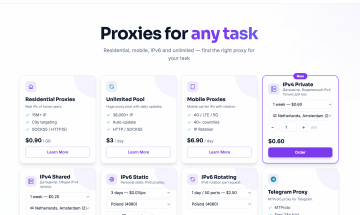
| Unternehmen | Preis | Promo-Code | Bewertung | Link |
|---|---|---|---|---|
| Proxyline |
von $0.41 bis $1.22
von 0,35 € bis 1,05 €
|
rateproxy | 5 | proxyline.net |
| Proxys.io |
von $1.88 bis $6.25
von 1,63 € bis 5,40 €
|
rateproxy | 4 | proxys.io |
| Floppydata |
von $0.60 bis $5.00
von 0,52 € bis 4,32 €
|
- | 0 | floppydata.com |
| GProxy |
von $0.03 bis $6.90
von 0,03 € bis 5,97 €
|
- | 0 | gproxy.net |
| LumiProxy |
von $0.78 bis $6.00
von 0,67 € bis 5,19 €
|
7CVBE8 | 0 | lumiproxy.com |
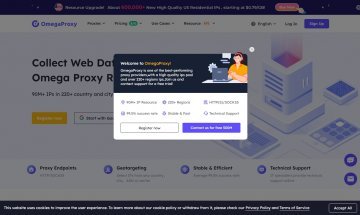
| OmegaProxy |
von $2.80 bis $9.82
von 2,42 € bis 8,49 €
|
36D8RQ | 0 | omegaproxy.com |
| Proxy6 |
von $21.00 bis $3,745.00
von 18,16 € bis 3.237,67 €
|
t3WEqkZeWO | 3.9 | proxy6.net |
| Proxymania |
von $0.07 bis $0.83
von 0,06 € bis 0,72 €
|
USER-eb42bfa4b70ea825 | 3.5 | proxymania.ru |
| Shop Proxy |
von $0.35 bis $11.05 pro Monat
von 0,30 € bis 9,55 € pro Monat
|
4ZCM0HDI | 4 | shopproxy.net |
| Mobile Proxy Space |
von $34.38 bis $110.33
von 29,73 € bis 95,38 €
|
aBA-KMa-MGY-Aky | 5 | mobileproxy.space |
| Swiftproxy |
von $0.70 bis $6.00
von 0,61 € bis 5,19 €
|
ABIF6JCZO | 0 | swiftproxy.net |
| Live Proxies |
von $70.00 bis $530.00
von 60,52 € bis 458,20 €
|
- | 0 | liveproxies.io |
| MarsProxies |
von $0.89 bis $3.49
von 0,77 € bis 3,02 €
|
- | 0 | marsproxies.com |
| 9Proxy |
von $15.00 bis $25.00
von 12,97 € bis 21,61 €
|
9P_oF7VV9jJ | 0 | 9proxy.com |
| IPRocket |
ab $0.90
ab 0,78 €
|
1azj8AE7 | 0 | iprocket.io |
| Coronium |
von $5.00 bis $159.00
von 4,32 € bis 137,46 €
|
- | 0 | coronium.io |
| LTESocks |
ab $50.00
ab 43,23 €
|
- | 0 | ltesocks.io |
| Proxying |
von $1.50 bis $2.00
von 1,30 € bis 1,73 €
|
- | 0 | proxying.io |
| Dexodata |
von $0.20 bis $10.00
von 0,17 € bis 8,65 €
|
- | 0 | dexodata.com |
| Fineproxy |
von $0.07 bis $2.00
von 0,06 € bis 1,73 €
|
- | 0 | fineproxy.org |
| ProxySpot |
von 19₽ bis 828₽
von 19₽ bis 828₽
|
- | 0 | proxyspot.com |
| Proxy-Cheap |
von $0.15 bis $16.11
von 0,13 € bis 13,93 €
|
- | 0 | proxy-cheap.com |
| PSB Proxy |
von $0.70 bis $2.10
von 0,61 € bis 1,82 €
|
- | 0 | psbproxy.io |
| Geonode |
von $0.79 bis $50.00
von 0,68 € bis 43,23 €
|
- | 0 | geonode.com |
| reProxy |
von $1.00 bis $8.00
von 0,86 € bis 6,92 €
|
- | 0 | reproxy.network |
| FleetProxy |
von $1.59 bis $29.25
von 1,37 € bis 25,29 €
|
- | 0 | fleetproxy.io |
| ResiProxies |
ab $10.00
ab 8,65 €
|
- | 0 | resiproxies.net |
| HypeProxies |
von $1.06 bis $300.00
von 0,92 € bis 259,36 €
|
- | 0 | hypeproxies.com |
von $34.38 bis $110.33 pro Monat
von 29,73 € bis 95,38 € pro Monat
Einrichtung von Proxys für YouTube im Browser, in der mobilen App, in Systemeinstellungen und einzelnen Programmen.
Installieren Sie RateProxy.
Erstellen Sie ein separates Proxy-Profil für Proxys für YouTube.
Geben Sie IP, Port, Login und Passwort ein.
Aktivieren Sie das Profil und öffnen Sie youtube.com.
Öffnen Sie die Firefox-Einstellungen.
Wählen Sie die manuelle Proxy-Konfiguration.
Geben Sie IP, Port, Login und Passwort ein.
Speichern Sie die Einstellungen und prüfen Sie die Verbindung.
Öffnen Sie Einstellungen → Netzwerk und Internet → Proxy.
Wählen Sie die manuelle Proxy-Konfiguration.
Geben Sie Server, Port und Zugangsdaten ein.
Speichern Sie die Einstellungen und starten Sie Browser oder App neu.
Öffnen Sie Systemeinstellungen → Netzwerk → Details → Proxys.
Wählen Sie die manuelle Proxy-Konfiguration.
Geben Sie Server, Port und Zugangsdaten ein.
Speichern Sie die Einstellungen und starten Sie Browser oder App neu.
Öffnen Sie Einstellungen → WLAN → aktives Netzwerk → Bearbeiten → Proxy → Manuell.
Geben Sie Server, Port und Zugangsdaten ein.
Speichern Sie die Einstellungen und prüfen Sie die Verbindung.
Öffnen Sie eine IP-Prüfseite.
Öffnen Sie Einstellungen → WLAN → aktuelles Netzwerk → Proxy konfigurieren → Manuell.
Geben Sie Server, Port und Zugangsdaten ein.
Speichern Sie die Einstellungen und prüfen Sie die Verbindung.
Öffnen Sie eine IP-Prüfseite.
Öffnen Sie Systemeinstellungen → Netzwerkproxy → Manuell.
Wählen Sie die manuelle Proxy-Konfiguration.
Geben Sie Server, Port und Zugangsdaten ein.
Speichern Sie die Einstellungen und prüfen Sie die Verbindung.
Öffnen Sie eine IP-Prüfseite.
Stellen Sie sicher, dass sich die IP-Adresse geändert hat.
Prüfen Sie Land, Stadt und Anbieter.
Wenn sich die IP nicht geändert hat, starten Sie Browser, App oder Proxy-Profil neu.
Browser-Erweiterung für schnelle Proxy-Profile, IP-Wechsel und Zugriffstests.
Erweiterung für mehrere Proxy-Profile und standortbasierte Regeln.
Leitet ausgewählten App-Traffic über HTTP-, HTTPS- oder SOCKS5-Proxys.
Leitet ausgewählten App-Traffic über HTTP-, HTTPS- oder SOCKS5-Proxys.
Kommandozeilenprüfung für Verbindung, Authentifizierung und externe IP.